 DMO Desk
Start free trial
DMO Desk
Start free trial
Everything your office needs to talk and answer
Team chat and a shared inbox, plus private dictation, an assistant that keeps up with your email, mark-up for PDFs and pictures, and the connections to the tools you already use.
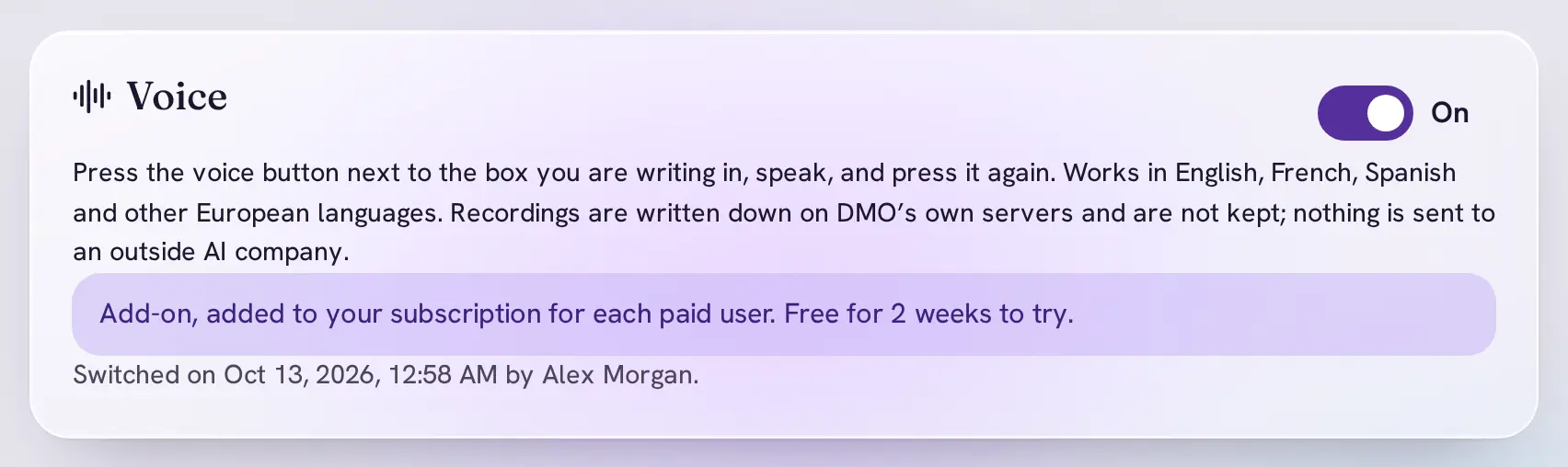
Talk instead of typing. Your words stay yours.
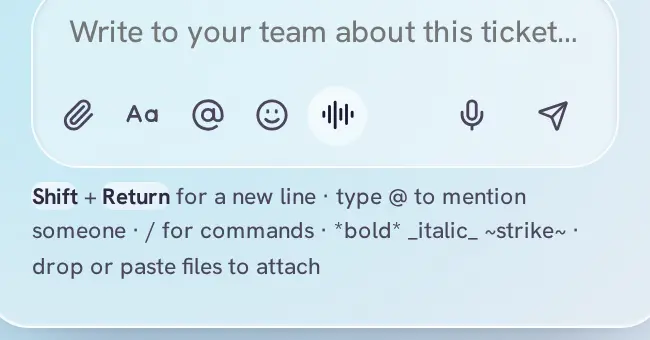
Press the voice button next to any message box, say what you want to write, and press it again. Your words appear in the box for you to check before sending. It works in chat, threads, ticket discussions and email replies.
Voice is our own dictation. It runs on DMO's own servers with a speech model we host ourselves, so your recordings never go to an outside AI company.
An add-on: $5.99 per user a month, 14 days free. Pricing
Measured on the FLEURS speech test set (the first 100 recordings in each language), lower is better. English, French, Spanish and other European languages.
Not kept
Recordings are written down and thrown away. Neither the recording nor the words are stored or logged; we only count the seconds, for billing.
Not shared
Nothing is sent to an outside AI company. The speech model runs on DMO's own server, which only DMO's apps can reach.
Not sold
Your voice and your words are never sold or handed on. There is nothing kept to sell.
An assistant that keeps up with your inbox
DMO SI reads a long conversation for you, writes a careful first reply, and tells you each week what is waiting. It suggests; you decide. Nothing is ever sent without you.
An add-on: $12 per user a month. Pricing
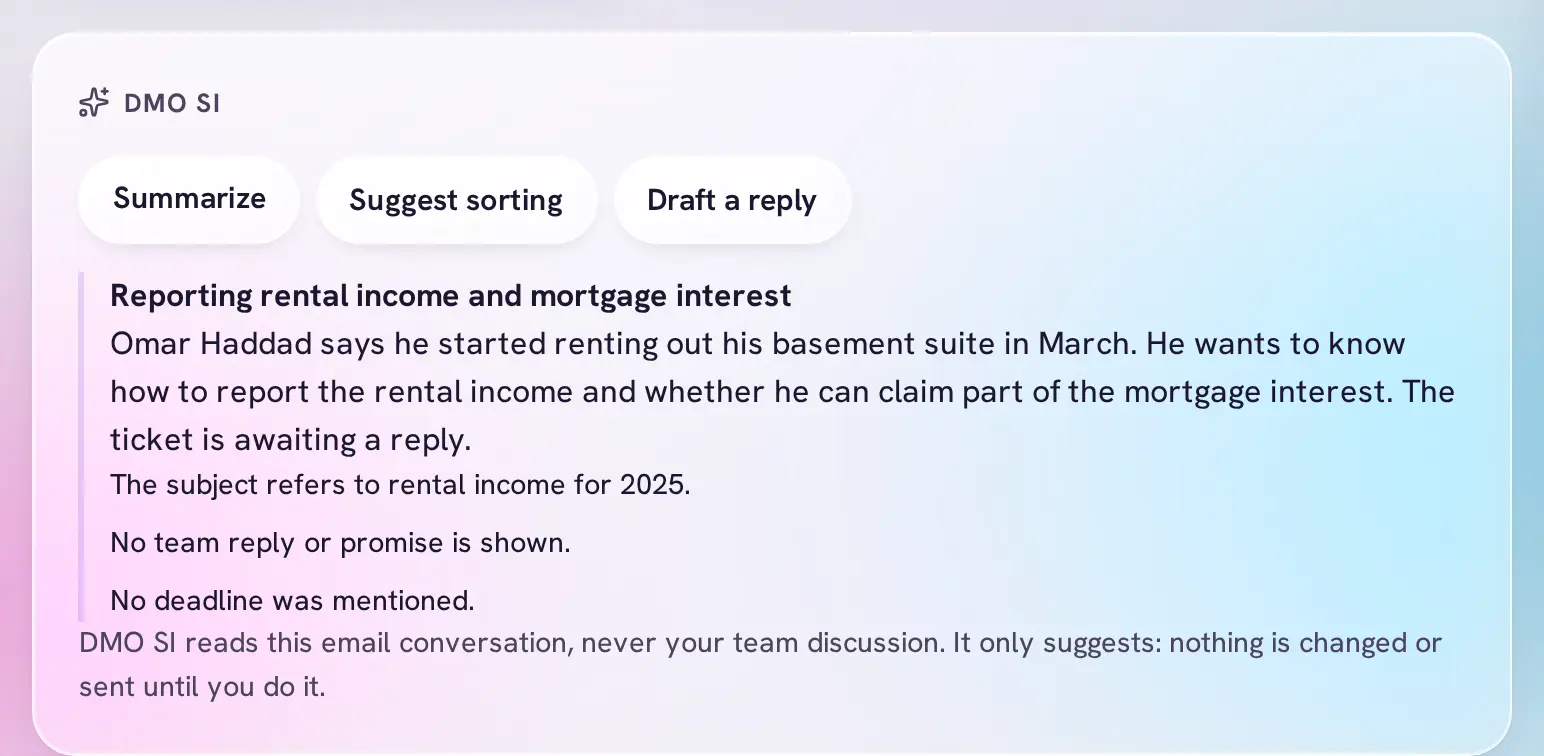
Summarize
The gist of a conversation in a few lines: what the customer wants, what was promised, any deadline.
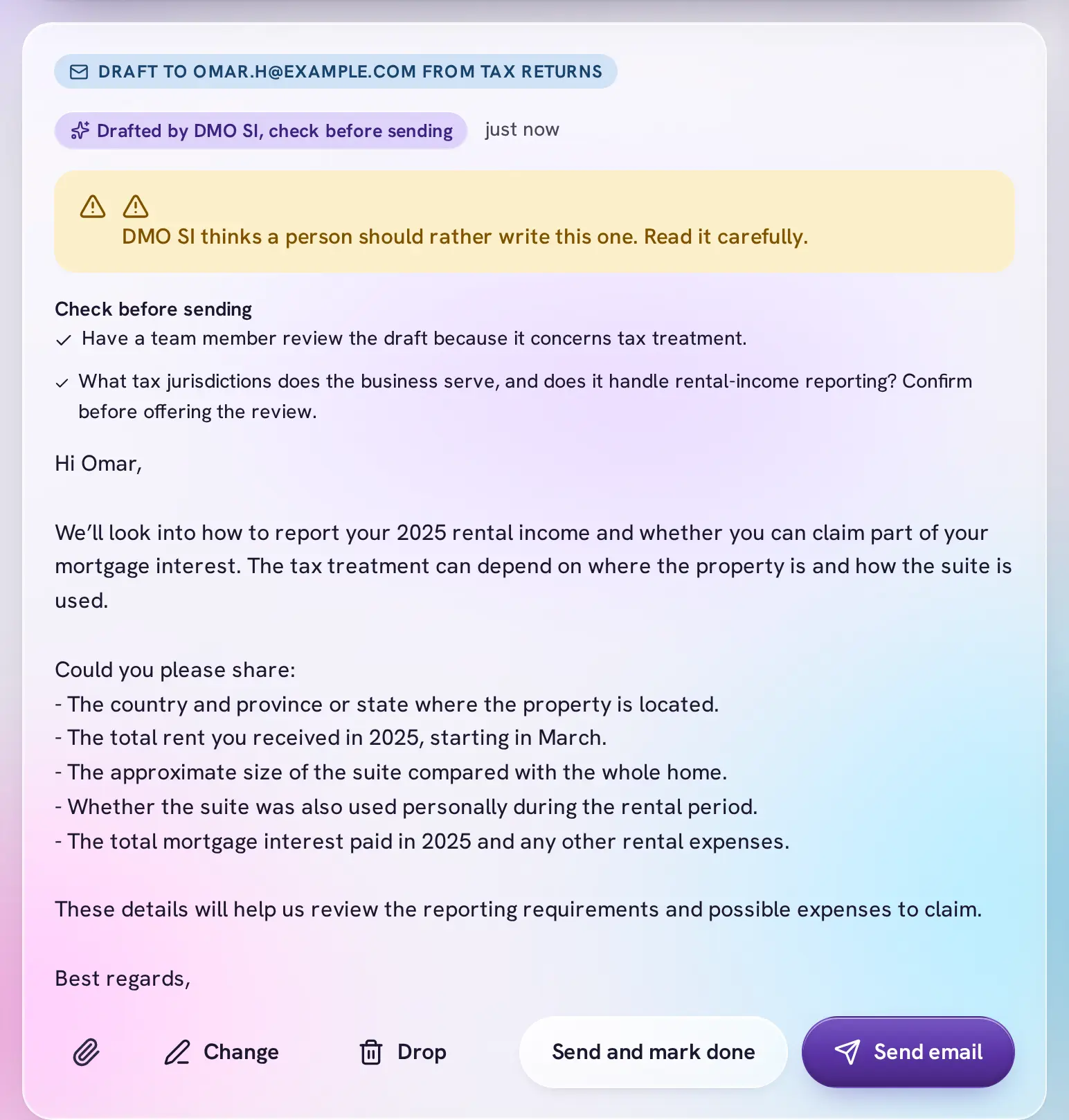
Draft a reply
A first draft for you to check, change and send. When a reply needs a person's judgment, it says so.
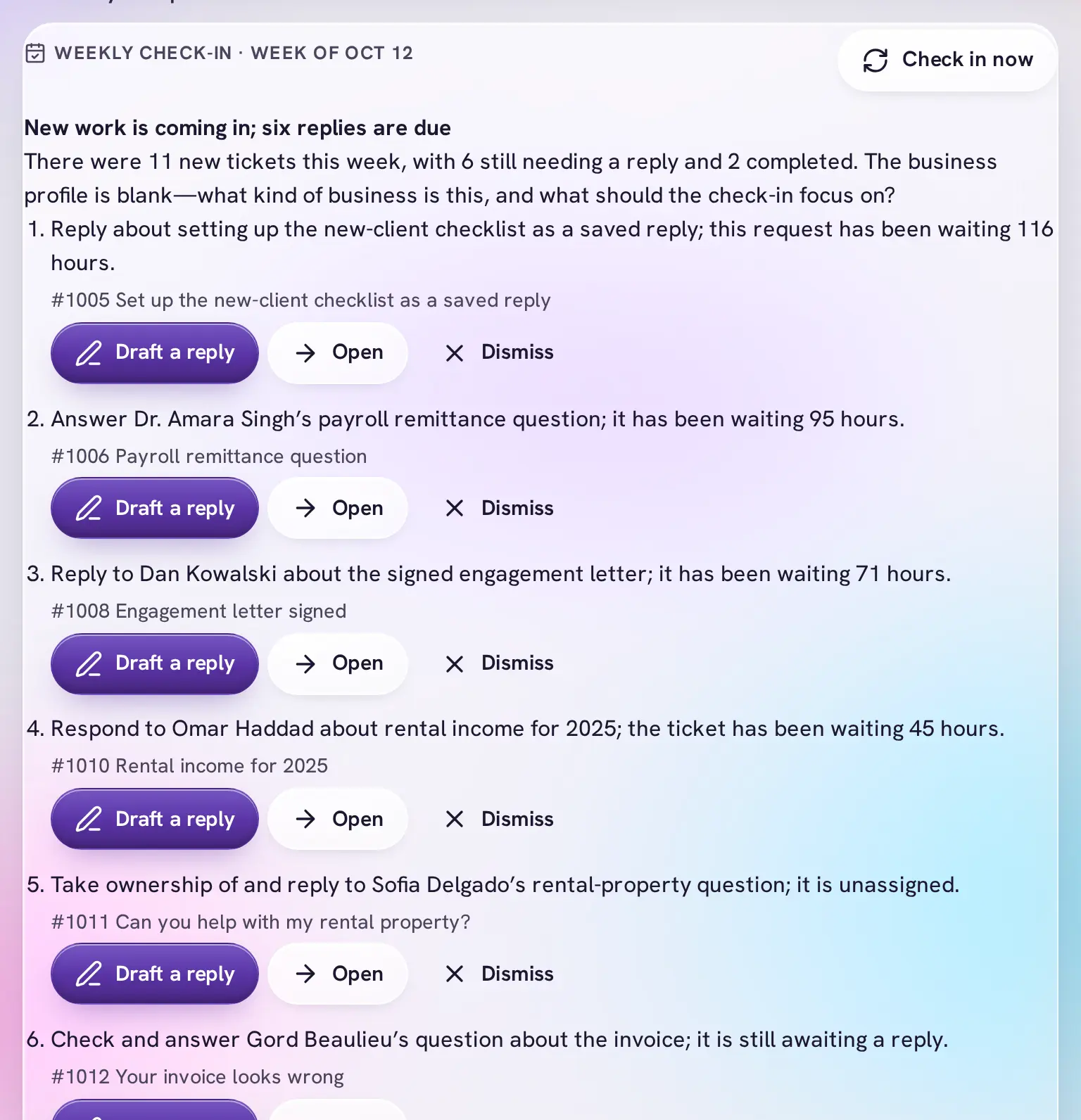
Weekly check-in
Every Monday: what came in, what is still due, and a short list of next moves you can act on in one click.
Drafts waiting for you
If you like, each new customer email gets a draft as it arrives, so answering is reading and pressing send.
Sorting help
A suggested category and priority for a ticket, or let a sorting rule ask DMO SI to file new tickets.
Review queue
Ready to review, Needs a decision and Watching, for your own tickets or the whole team's.
Learns your habits
When you keep sorting the same kind of email by hand, DMO SI offers to make it a rule. An Owner or Administrator says yes or no.
DMO SI reads a ticket's email only when someone asks it to, or for automatic drafts, without email addresses and never your team discussion. It works with AI models from outside providers; Voice never does. Included in your free trial.
One inbox for info@, and you decide who sees it
Every email to your office's addresses becomes a ticket with a status and an owner. Share a mailbox with the whole team, or keep it to the people you choose.
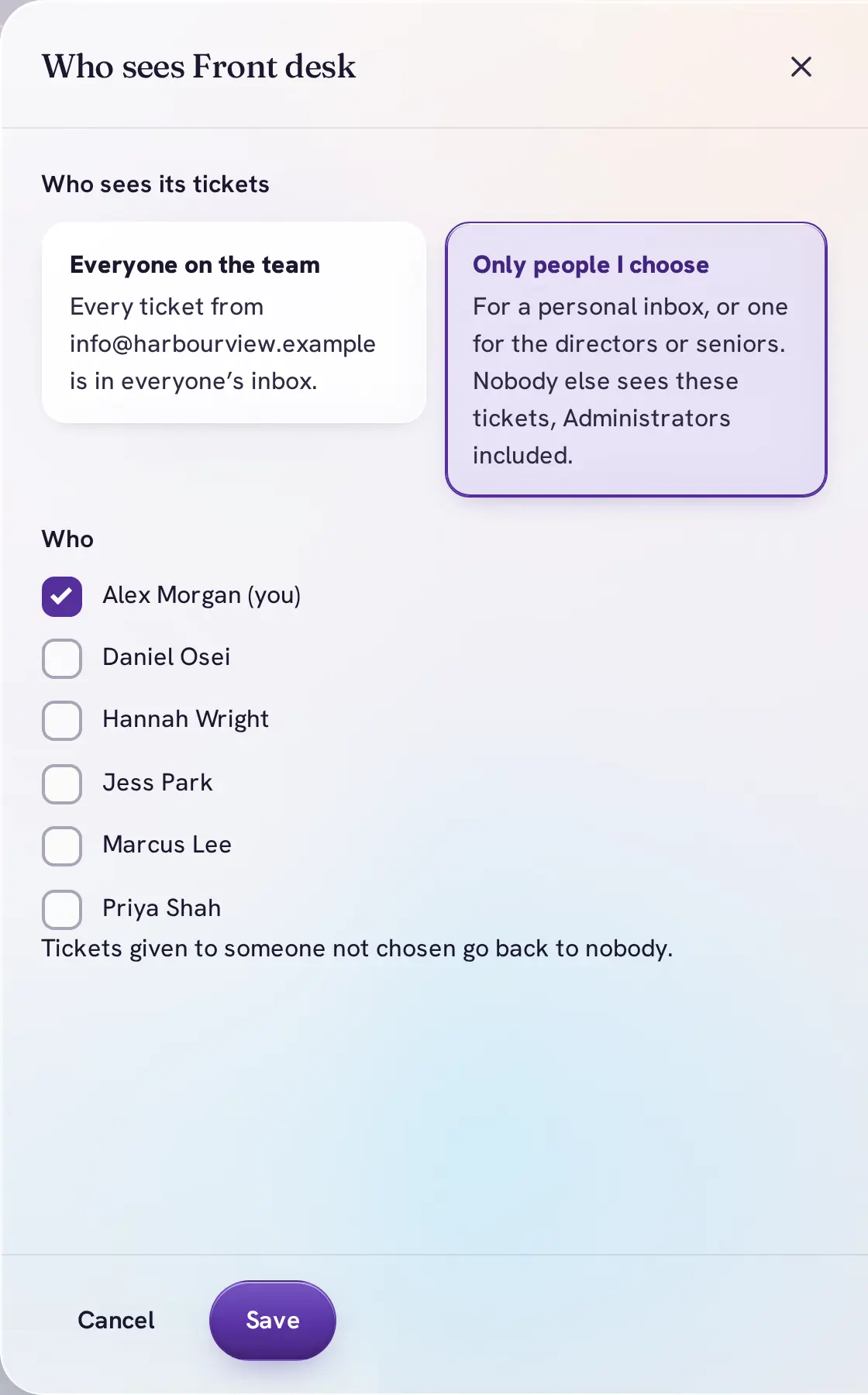
- Who sees it. Everyone on the team, or only people you choose, for a personal inbox or one for the directors. Nobody else sees those tickets, Administrators included.
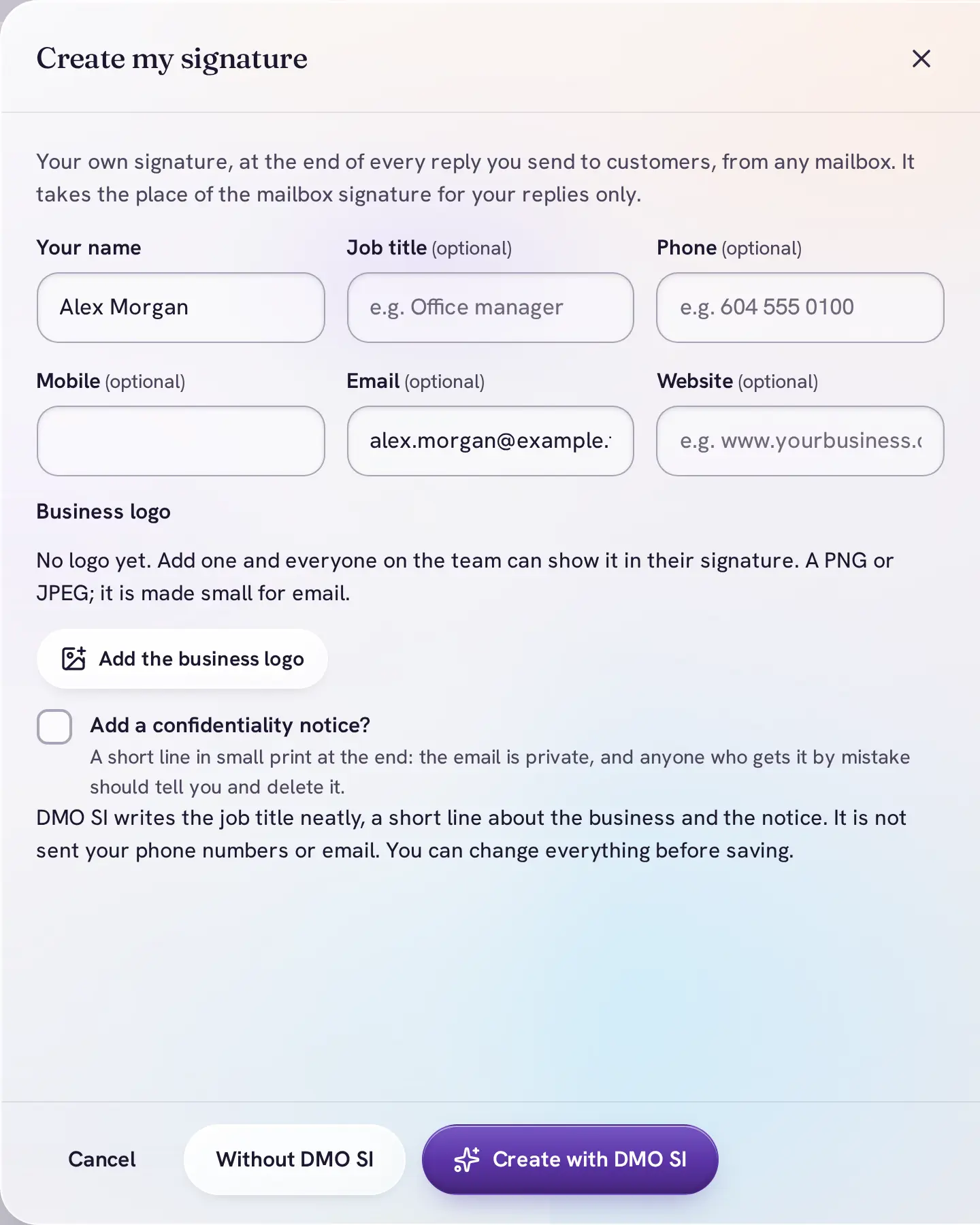
- Your own signature. Name, title, phone and the business logo at the end of every reply you send, from any mailbox.
- Sorting rules. By sender, domain, words or mailbox, to a category, a person, Done or Spam. Share new tickets out evenly.
- Saved replies, Snooze and Remind me. Answer common questions in a click and bring a ticket back when it matters.
- Who it waits on. The customer, a client or a teammate, so "Waiting" always says on whom.
- Many at once. Pick several tickets and mark them done, delete or restore them, with Undo.
- Any mailbox. Forward your address to DMO Desk, or connect it with IMAP and SMTP.
Everything you expect from team chat
Channels, direct messages and threads, with tickets right inside the conversation.
Channels
Open or private, with descriptions, pinned decisions and your own channel groups in the sidebar.
Direct messages
One to one, or groups of up to 8. A green dot shows who is in DMO Desk right now.
Threads and mentions
Reply in a side panel, follow a thread, and @mention someone so they are told.
Live ticket cards
Share a ticket into a channel. The card shows its status and owner, and opens its discussion.
Polls and / commands
Type / for commands like /poll, /mute and /topic. Apps you connect can add their own.
Voice notes
Record a voice message of up to 5 minutes when typing won't do.
Forward and react
Forward a message to up to 10 conversations with a note. React, save, edit and delete your own.
Formatting
Bold, italic, strike, code, lists and quotes, with a formatting row when you want buttons.
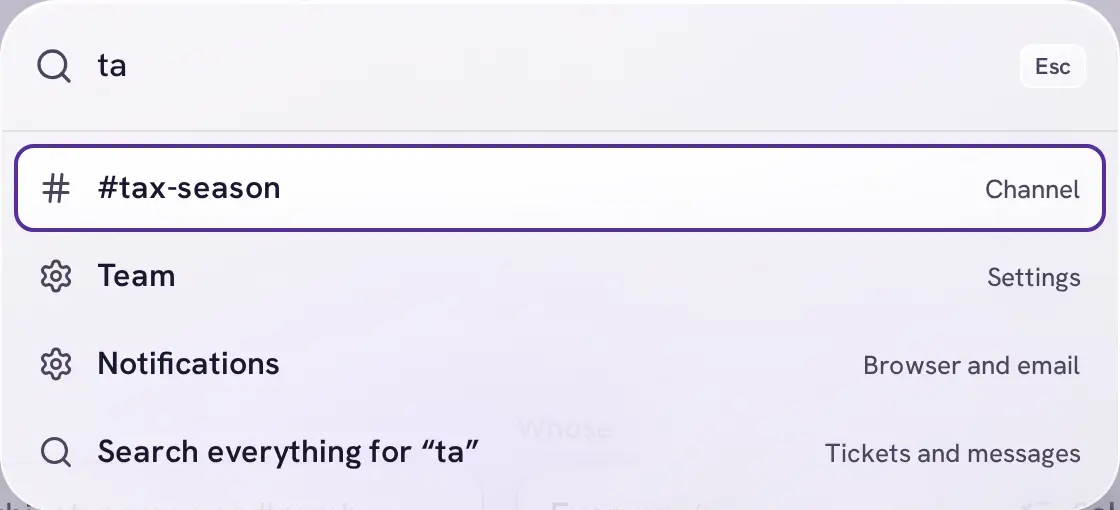
Jump to and search
Ctrl K or ⌘K jumps to any channel, person or ticket number. Search covers tickets and messages you can see.
Mark up a PDF or a picture, right where you talk about it
Open a file in the viewer, press Mark up, and draw on it with the Pen, Highlighter, Text or Eraser in five colours. The marked copy goes into your message; the original stays as it was.
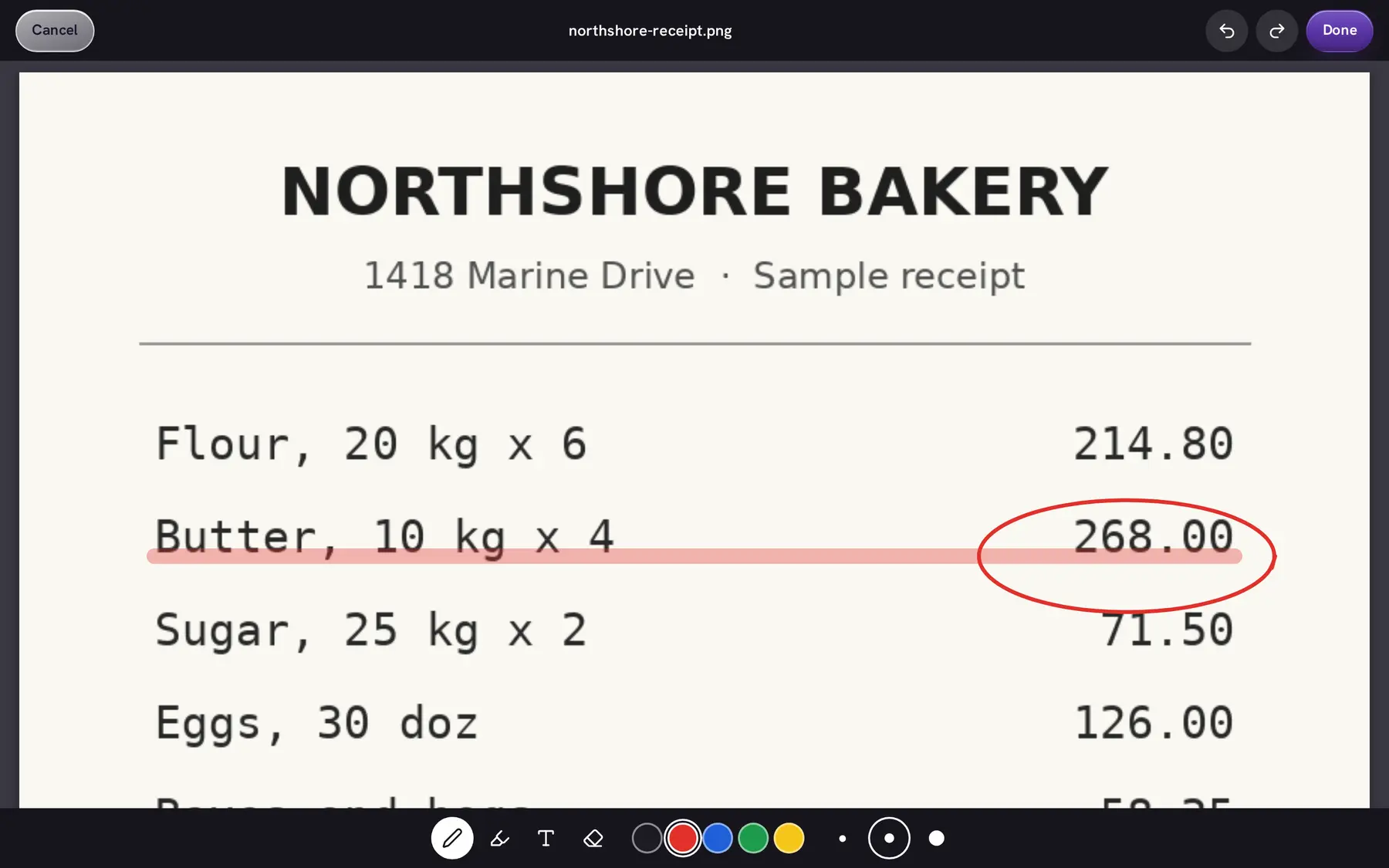
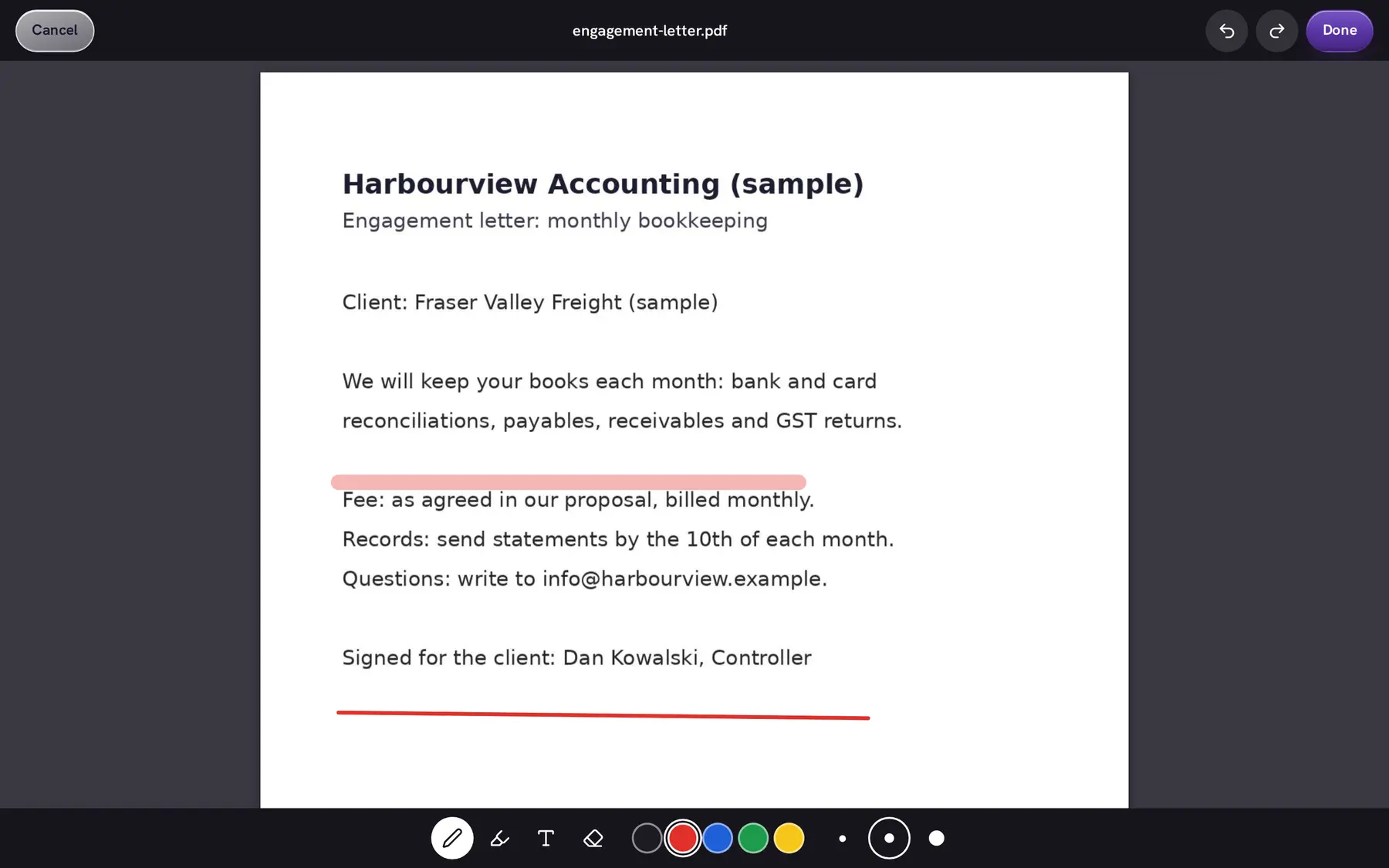
- Drop, paste or attach. Up to 10 files per message, 25 MB each. Pictures show as previews; PDFs, pictures and videos open in the viewer with zoom.
- Checked and locked. Every file is scanned for viruses and stored encrypted. Only people who can read the conversation can open it.
- Email attachments too. Files customers send arrive with the ticket, and you can attach files to your replies.
Connect the tools your office already uses
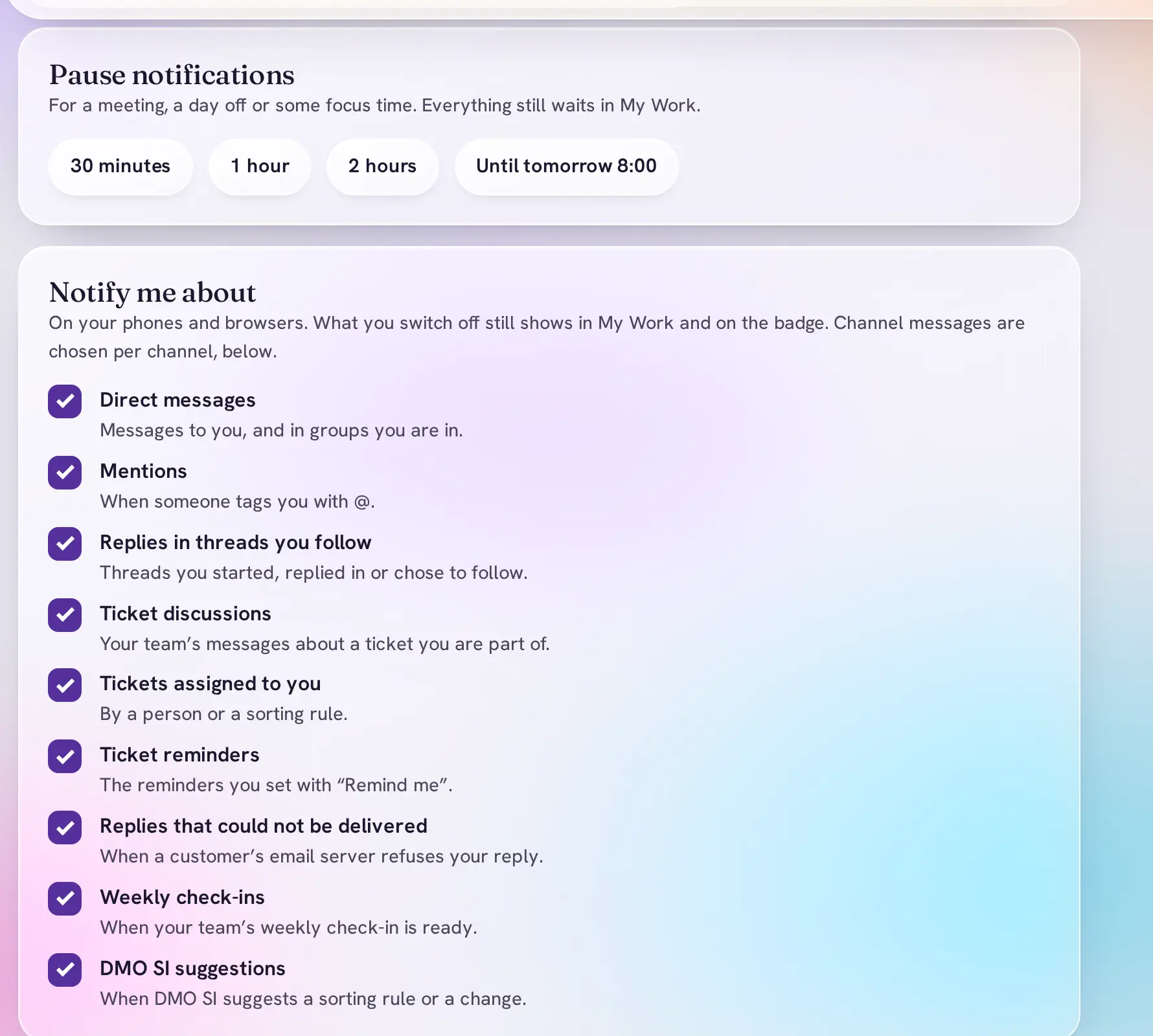
Apps and API, in Settings, connects DMO Desk to Zapier, Make, n8n, your website or your own code.
Incoming webhooks
An app posts into a channel: new website enquiries in #sales, alerts, reports.
Outgoing webhooks
Your tools hear about new messages and tickets, signed so you can check they came from DMO Desk.
Your own / commands
A connected app can answer "/" commands of its own, right in the chat.
API keys
Read only, or read and write: scripts can use conversations, tickets, files and search.
Your email
Any mailbox, by forwarding or by IMAP and SMTP.
DMO CRM
Optional: connect DMO CRM and every ticket shows up with the client it belongs to.
DMO Account
One sign-in for every DMO app, with an authenticator for Owners.
Export your data
Owners download everything as a ZIP file, any time.
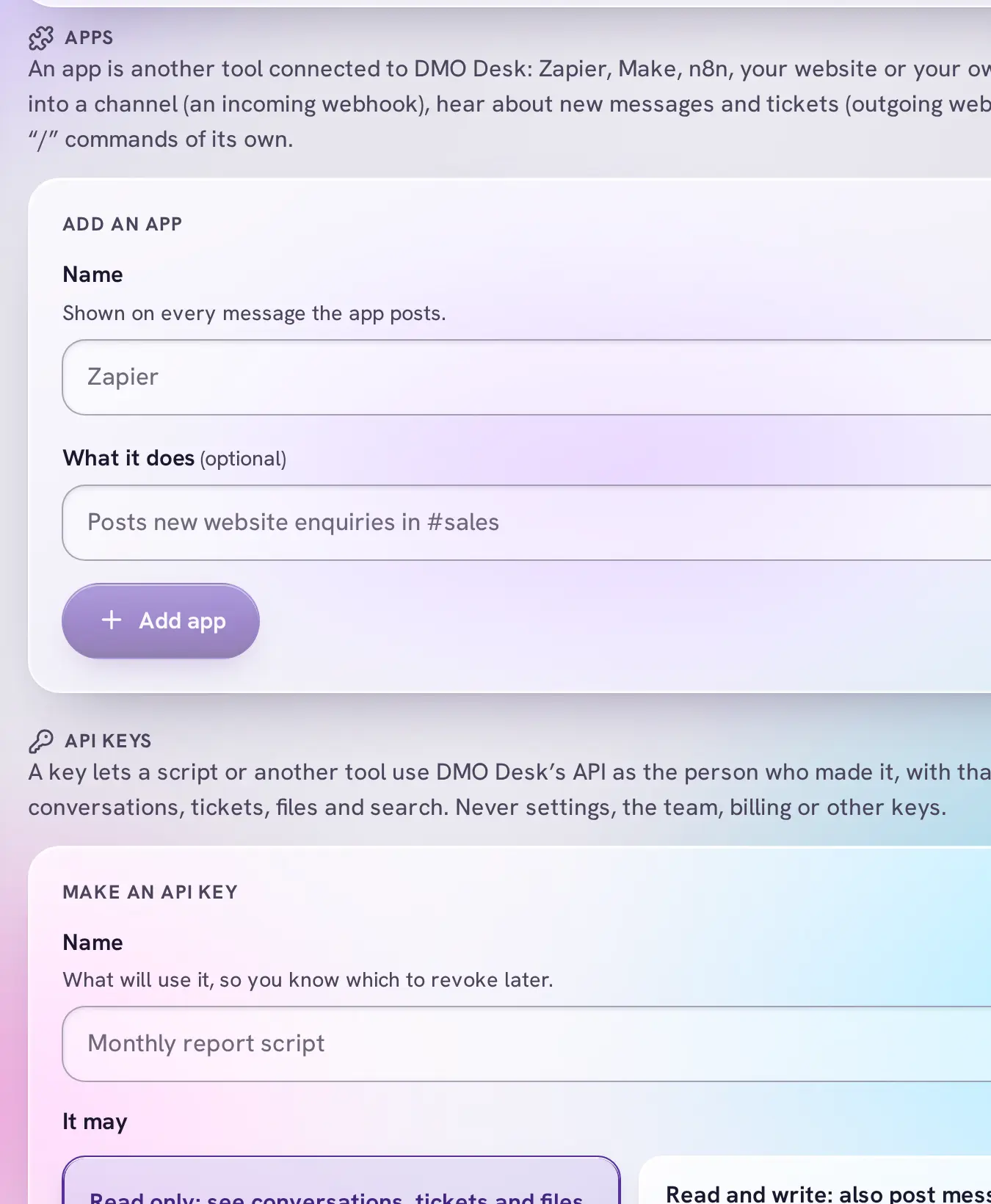
Told about what matters, quiet when you need it
- Even when DMO Desk is closed. Notifications in your browser for direct messages, mentions, replies in threads and tickets given to you.
- Pause. For 30 minutes, an hour, two hours or until tomorrow morning. Everything still waits in My Work.
- Choose each kind. Switch off what you don't need and choose per channel.
- My Work. The first screen: tickets with you, mentions and replies, unread messages.
Your office's data stays your office's
Kept apart
Every office's data is separated in the database itself, so one office can never see another's.
Encrypted files
Files are scanned for viruses and stored encrypted, each one checked every time it is opened.
Team messages stay inside
Email only goes to a customer when someone presses Reply. Team discussions never do.
Take it with you
Owners can export everything as a ZIP file whenever they want.
Real people who help you sort it out
When something isn't working, you write to our own team and a person answers. Not a bot, not a forum.
support@dmosuite.com
A person reads every email, and we reply within 1 business day. Help with how the app works, your account and your bill, and anything that isn't working as it should, at no extra cost.
- Report a problem, from inside DMO Desk. In your account menu. Add a screenshot and mark it up; it reaches our team as a ticket and you get its number.
- Guided setup. One live video session of up to 60 minutes with a person from our team, to set up your organization, users and roles: $149 once. What it includes
- Moving from Pumble? Ask us about bringing your channels and history across.
Try all of it free for 14 days.
- $8 per user a month, 3 users minimum
- No card needed for the trial
- Customers who email you are always free
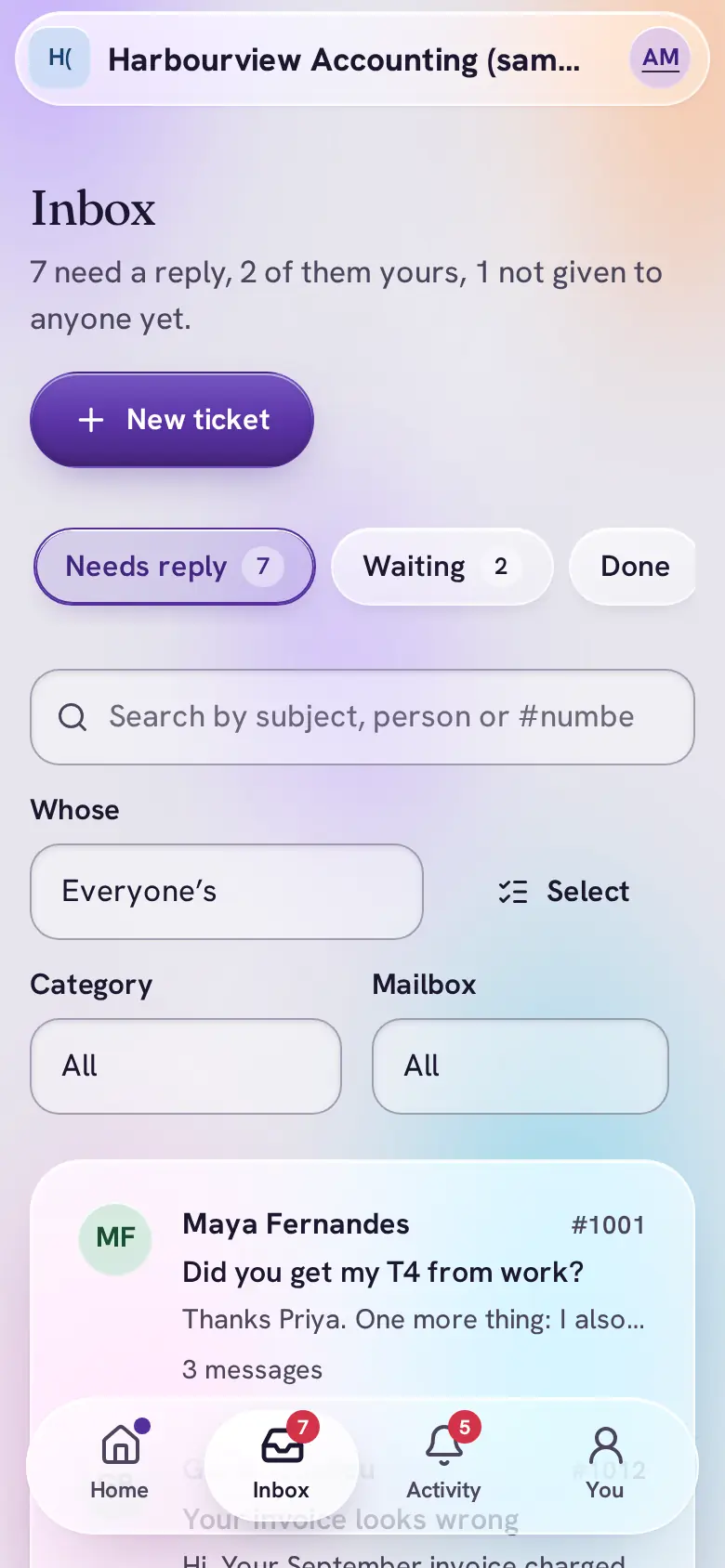
Every screenshot is a real DMO Desk screen from a sample office with made-up people. DMO SI's summary, draft and check-in above are its real output.